Play Football Masters Online — Free, No Download
About Football Masters
Football Masters is a couch-multiplayer soccer game built around one simple decision at setup: pick a team of 1 or 2 players. That single option covers both ways people actually play — solo against the built-in opponent when nobody else is around, or head-to-head on a shared keyboard when a friend is sitting next to you. It isn't a single-player game with local co-op bolted on afterward; both formats are treated as equal entry points from the mode select.
The control split is what makes the 2-player format work on one keyboard. Player one moves with WASD, shoots with X, and fires their superskill with Z. Player two moves with the arrow keys, shoots with L, and fires their superskill with K. Each side gets a full, independent cluster of keys, so two people can play a real match on the same machine without ever reaching for the same key at the same time — the exact setup that makes shared-keyboard sports games playable instead of a fight over the spacebar.
The superskill button is the mechanic that separates Football Masters from a plain pass-and-shoot clone. Shooting on X or L is your baseline attempt on goal, but the superskill on Z or K is a separate, distinct input layered on top of it, which means every possession carries an extra decision: take the safe shot now, or hold for a chance to use the superskill for a better opening. Because the special move has its own dedicated key rather than being folded into the shot button, you have to actively choose to go for it — it isn't something that triggers automatically or on a timer, so managing when to spend it versus when to just shoot becomes part of reading the match in real time, not a gimmick you use once and ignore.
Mode choice changes what a match means. Quick Game is a single standalone match — pick it and you're kicking off within seconds, which is the right call when you and a friend only have a few minutes before the next class or the next round of whatever else you're playing. Tournament mode is the longer format: instead of one match, you're dropped into a bracket and have to keep winning round after round, working your way through the rounds until you reach and win the final to become champion. That structure gives Tournament mode actual stakes a Quick Game doesn't have — losing a Quick Game just means queuing up another one, but losing in the Tournament bracket ends the run, so a single match feels different depending on which mode you picked before kickoff.
Playing solo doesn't shortchange the mode list either — both Quick Game and Tournament are available whether the second team is a human on the arrow keys or the built-in opponent, so you can chase a full Tournament run by yourself if nobody else is around, or save the bracket for when a friend shows up and you want the win to mean something to both of you.
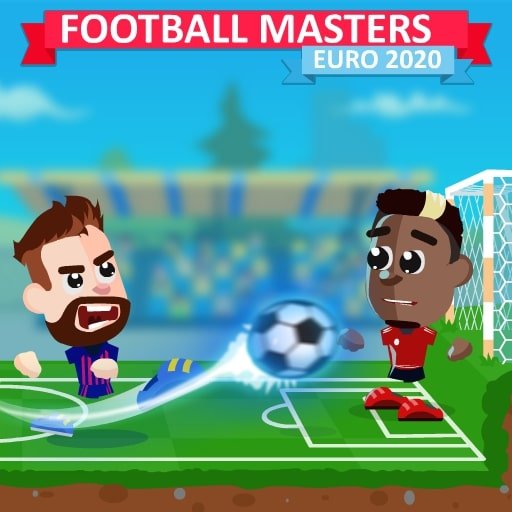
The pixel-art presentation is built for the pace the controls demand. With two players and a ball all moving across a compact pitch, the priority is being able to track your own player, the opposing player, and the ball at a glance without the visuals slowing that scan down — which matters more in a fast, shared-keyboard match than detailed character art would. Combined with the instant restart between Quick Games and the round-by-round pull of the Tournament bracket, Football Masters is built around short sessions that are easy to run back immediately, whether that's one more Quick Game after a close finish or the next round of a Tournament you're trying to finish before the final.
For anyone weighing whether to play solo or wait for a second player, the honest answer is that both routes are supported equally: the built-in opponent gives Quick Game and Tournament mode their full shape on your own, and the second control scheme on the arrow keys is sitting there ready the moment someone else wants to play. That's the core appeal of Football Masters as a browser pick — it scales cleanly from a thirty-second solo match to a full bracket run with a friend, using the same controls and the same superskill mechanic either way.
Football Masters sits in our sports games lineup. Basketball, football, soccer and more.
This is a local 2-player title — both players share the same keyboard. Bring a friend.
Newly added to the catalog — give it a few runs and tell us what you think on Discord.
How to play Football Masters
- Choose your team size — 1 or 2 players — from the mode select before kickoff.
- If playing 2-player, agree on sides: Player 1 takes WASD, X, and Z; Player 2 takes the arrow keys, L, and K.
- Pick Quick Game for a single fast match, or Tournament mode to enter the bracket and chase the title.
- Move your player around the pitch with your movement keys and get into position near the ball.
- Press your shoot key (X or L) for a standard attempt on goal once you have a clean look.
- Build toward your superskill and fire it with Z or K when you want a harder-to-stop shot on goal.
- In Tournament mode, win each round to advance through the bracket toward the final.
- Win the final to become champion, or jump straight back into another Quick Game if you lost.
Controls
| Player 1: W A S D | Move the first player around the pitch |
|---|
| Player 1: X | Take a standard shot on goal |
|---|
| Player 1: Z | Fire the superskill special move |
|---|
| Player 2: Arrow Keys | Move the second player around the pitch |
|---|
| Player 2: L | Take a standard shot on goal |
|---|
| Player 2: K | Fire the superskill special move |
|---|
Tips for Football Masters
- Don't spend your superskill the moment it's available — hold it for a possession where the goalkeeper is out of position or you have a clean lane.
- Use your regular shot (X or L) for close-range chances; save the superskill for longer or more contested attempts where a normal shot is likely to be blocked.
- In Tournament mode, treat every round as elimination — a loss ends the bracket run, so play tighter on defense than you would in a throwaway Quick Game.
- If you're new to the controls, run a solo Quick Game first to get comfortable with your movement and shoot keys before adding a second player on the arrow keys.
- In 2-player matches, watch your opponent's positioning rather than just the ball — reacting to where they're moving beats reacting to where the ball already is.
- Since Player 1 and Player 2 use completely separate key clusters, there's no need to slow down and check the keyboard mid-match — commit to muscle memory for your side early.
- Reset to Quick Game between Tournament rounds if you need a low-stakes match to warm back up before the next bracket game.
- When defending a lead late in a match, prioritize positioning over chasing the ball — forcing a rushed shot is often better than committing to a tackle you might miss.

 Football Masters