Play Minecraft Classic Online — Free, No Download
About Minecraft Classic
Build and explore in Minecraft Classic — the original browser version with creative mode and 32 block types. No account needed, just open and play.
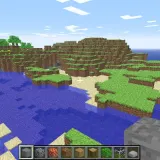
Minecraft Classic is the browser version of early Minecraft, preserved as a creative sandbox rather than a modern survival game. It gives you a small generated world, a limited classic block palette, and the freedom to build, dig, stack, tunnel, and reshape terrain directly in the browser. There are no mobs, hunger bars, crafting trees, achievements, Nether portals, or redstone systems. The appeal is the original loop: pick a block, place it, remove it, and turn an empty landscape into something recognizable. That limitation is exactly why Minecraft Classic is still fun. With only the old-school tools and blocks, builds become about shape, scale, and imagination rather than recipes or progression. You can make castles, pixel art, simple houses, underground rooms, bridges, towers, obstacle courses, or rough prototypes for ideas you might later build in the full game. On a Chromebook, use a keyboard and mouse or trackpad with a WebGL-capable browser; loading time and performance depend on your device, browser and connection. Compared with modern Minecraft, Classic is smaller and rougher, but it captures the part that made the game famous: creative building with immediate feedback.
Minecraft Classic sits in our adventure games lineup. Story-driven escapes and exploration.
Minecraft Classic is one of the most-played games on Minix Games right now.
How to play Minecraft Classic
Use WASD to move, mouse to look, Space to jump, and number keys or the block menu to choose from the classic block set. Build, dig, and reshape the world in creative mode.
- Click inside the game frame and wait for the world to load.
- Use WASD to walk and the mouse to look around.
- Choose a block from the hotbar or block menu, then place it where your crosshair points.
- Break blocks to carve terrain, clear space, or collect room for a structure.
- Use Space to jump while building stairs, walls, towers, or roofs.
- Plan simple shapes first, then add detail with different classic blocks.
- Use fullscreen for better mouse control and a larger building view.
Tips for Minecraft Classic
- Start with a footprint on the ground before building upward; Classic has fewer visual cues than modern Minecraft.
- Use contrasting blocks to mark corners, doors, windows, and roof lines so builds do not become one flat texture.
- Dig a temporary trench or pillar scaffold when working on tall walls, then remove it after the shape is complete.
- For pixel art, count blocks in rows first and build from a simple outline inward.
- Keep paths at least two blocks wide so movement feels comfortable in the older control style.
- Because there is no survival pressure, spend time testing silhouettes from far away before adding detail.
- If mouse capture feels off, click the frame again or use fullscreen before placing precise blocks.

 Minecraft Classic