
How Browser Games Actually Work: HTML5, WebGL, and the End of the Download
No installer, no launcher, no Flash plugin — just a URL and a tab. Here's the real plumbing behind a modern browser game: the canvas, the sandbox, WebGL, and why the download finally died.
A decade ago, playing a game in your browser meant installing something first. A Flash plugin. A Unity Web Player. A Java applet that asked for permissions you didn't understand and probably shouldn't have granted. The game lived outside the browser and the browser just gave it a window to draw in. That whole arrangement is gone now, and most people never noticed it leave.
Today you click a link, a tab opens, and a game runs — full 3D, sixty frames a second, sound, save data, the works — with nothing installed and nothing asked of you. That's not magic and it's not a small trick. It's the result of the web platform quietly absorbing the jobs that used to need a separate program. This piece walks through how that actually works, in plain terms, using games we host so you can poke at the live examples while you read.
The browser is the runtime now
The single most important shift is this: the browser stopped being a document viewer that hosted plugins and became a full application runtime in its own right. Modern browsers ship a JavaScript engine fast enough to run real game logic, a graphics pipeline that talks directly to your GPU, an audio mixer, a gamepad API, persistent storage, and a clock precise enough to schedule frames. A browser game isn't a special kind of file you download — it's a webpage whose JavaScript happens to draw a game instead of a blog post.
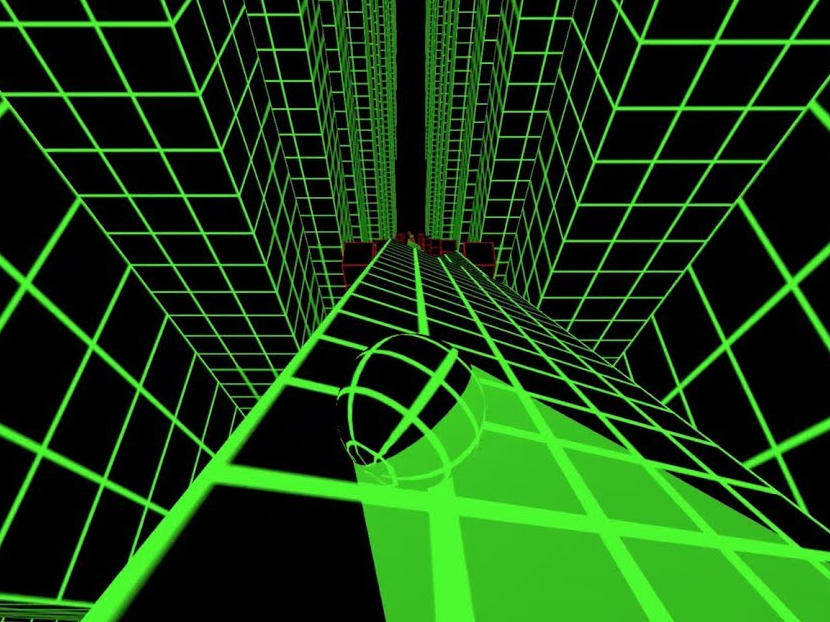
When you open Slope, your browser fetches a small bundle of files — an HTML page, some JavaScript, a few textures — and then runs them. There is no second program. The same engine that lays out this article is, twenty milliseconds later, rolling a neon ball down a 3D ramp. That's the headline. Everything below is detail.
The canvas: a blank rectangle the game paints into
Every browser game starts with a single HTML element: <canvas>. On its own it's nothing — a blank rectangle of pixels with no built-in behavior. What makes it powerful is that JavaScript can draw into it freely, pixel by pixel or shape by shape, as fast as the machine allows.
There are two ways to draw into a canvas, and the choice defines what kind of game you get. The first is the 2D context: a simple drawing API with commands like "draw this rectangle" and "stamp this image here." It's how a game like 2048 or Hextris works — a grid of shapes redrawn many times a second. It's cheap, it runs on anything, and it never asks much of the hardware. The second way is WebGL, which is a different animal entirely.
WebGL: the GPU, exposed to the web
WebGL is the part that surprised everyone. It's a browser API that gives a webpage near-direct access to your graphics card — the same chip that renders console and PC games. Instead of asking the CPU to draw every pixel, a WebGL game hands the GPU a list of triangles, a set of textures, and small programs called shaders that tell the GPU how to color each pixel. The GPU does the heavy lifting in parallel, which is why a browser game can render a full 3D scene without melting a cheap laptop.
This is what's running under Drift Hunters, with its 25-plus modeled cars, reflective paint and dynamic lighting, and under Madalin Stunt Cars 2, with its open-city map, real-time shadows and a fleet of high-poly vehicles. When you read that a game "uses WebGL," that's the literal mechanism: triangles and shaders sent to your GPU through a browser API. Tunnel-style games like Tunnel Rush lean on it for their strobing geometry; the whole car games shelf is mostly WebGL because driving physics and 3D tracks want that pipeline.
The sandbox: why a game in a tab can't touch your computer
Here's the trust question people rarely ask out loud: if a game runs the moment I click a link, what stops it from doing something to my machine? The answer is the browser sandbox, and it's the reason browser games are structurally safer than installed games.
Every tab runs inside a tightly walled-off process. The JavaScript in that tab cannot read your files, cannot install anything, cannot see other tabs, and cannot reach into your operating system. It can draw to its canvas, play audio, talk to its own server, and write to a small storage area scoped to that one website — and that's essentially the whole list. A native game you install can, in principle, do anything your user account can do. A browser game is locked in a room with a window and a notepad. That architectural difference is why "no download" isn't just convenient; it's a genuinely smaller attack surface.
Where Flash went, and why nobody mourns the plugin
For roughly fifteen years, the canvas and WebGL didn't exist or weren't good enough, and the gap was filled by Adobe Flash. Flash was a browser plugin — a separate piece of software that ran .swf files inside a webpage. It powered an entire era of web games, and it was also a security nightmare, a battery hog, and a thing that never worked right on phones. When Apple refused to put it on the iPhone in 2010, the clock started. Browsers grew their own canvas, audio and WebGL capabilities to replace it, and Adobe finally killed Flash for good at the end of 2020.
The games didn't die with it. Many of the classics you'll find on the full catalog are Flash-era titles that were rebuilt or recompiled to run natively in HTML5 — the design survived, the plugin didn't. If you want the longer version of that story, we wrote a separate history of how unblocked browser games evolved from Flash portals to the modern HTML5 web.
How a game remembers you without an account
A lot of browser games keep your progress, high scores or settings without ever asking you to sign up. That's another browser capability doing quiet work: a small per-site storage area the game can read and write. When you beat your record on Eggy Car or unlock a car in Drift Hunters, the game writes that to storage scoped to this website, and reads it back next time. No server round-trip, no login, no email.
The catch is that this storage lives on your device and is tied to this browser. Clear your browsing data, switch to incognito, or move to another computer, and the game finds an empty slot and assumes you're new. That trips a lot of people up, and it's worth understanding properly — we've written a full breakdown of how browser save data works and how to keep from losing it.
Putting it together: what happens in the first second
Click a game and here's the rough sequence, all inside about a second on a decent connection. The browser requests the game's HTML page and gets back a tiny file. That file points at the JavaScript bundle and any assets, which download in parallel. The JavaScript runs, finds or creates a <canvas>, and asks for either a 2D or a WebGL drawing context. It loads textures and sound into memory, reads your saved progress from per-site storage, and then starts a loop: read input, update the world, draw a frame, repeat — sixty times a second. All of it inside the sandbox, none of it touching the rest of your machine.
That's the entire stack. No installer, no plugin, no admin password. The reason a four-year-old no-download games Chromebook can run a 3D racer is that browsers got very good at being the runtime, and game makers got very good at staying inside the envelope that browsers do well: small downloads, GPU-friendly rendering, no waste.
Where to go from here
If you want to feel the difference between the two rendering paths firsthand, open a 2D game and a 3D one back to back. 2048 is pure 2D canvas — a grid that costs the GPU almost nothing. Slope is WebGL leaning on your graphics card. Same browser, two completely different machines underneath. For the broadest sense of what the platform can do without a single download, the best free online games hub spans both ends, and the no-download games page frames the whole catalog through exactly the lens this article is about.