
Best Unblocked Driving Games 2026: 8 Free Racing Picks Playable at School (No Download)
Eight free unblocked driving and racing games that load straight in a browser tab — no install, no signup, no Steam, no iOS gate. Drift, crash, and grind tunable cars on a school Chromebook without tripping the network filter.
Driving games are the genre that gets blocked first. Steam needs a launcher. iOS racing games gate the good cars behind a paywall. The big console racers don't run on a school Chromebook at all. And every "free racing" site you land on through search asks for an email before the first lap. The whole category got harder to reach than it needs to be, which is silly — a good arcade driver only needs four buttons and a tab.
This is the working list of unblocked driving games on Minix Games that actually solve that problem in 2026. Every pick below is HTML5 or WebGL, runs in any modern browser, asks for nothing, and loads on a 5-year-old school Chromebook. We hand them to you in the order we'd hand them to a friend who said "I want to drive something right now and I'm on the school cart." None of them require a download. None of them require a sign-in. The links are the games.
If you only have time to load one tab, jump to Drive Mad — it's the most-played driving game on the site for a reason. If you want the wider catalog of school-friendly picks, the unblocked games hub is the broader landing, and the racing category page sorts every driver we host by what's currently trending.
What "unblocked" actually means in 2026
The word has drifted. "Unblocked" used to mean "not blocked by the school district's filter," which usually meant "hosted on a domain the filter hadn't classified yet." Today it mostly means three more practical things, and every pick on this list clears all three.
- No login wall. If a site asks for an email, a Google sign-in, or a Discord auth before you can move the car, it's not unblocked — it's gated. Every game below opens straight into the menu.
- No installer. No Steam, no Epic launcher, no Roblox Studio, no Unity Web Player from 2014. Pure HTML5 and WebGL in a tab.
- Network-quiet. The good unblocked picks don't hammer the school's filtering proxy — small initial download, light steady traffic, no "this site uses peer-to-peer" surprise. The school IT team has bigger fights to pick than a 4 MB driving game.
We won't tell you how to get past a filter — that's between you and your network admin. We will tell you which games are already on the friendly side of the line, because we host them ourselves on a domain that mostly behaves.
1. Drive Mad — the unblocked driving game everyone starts with
Drive Mad is the pick on the homepage for a reason. It's a physics-driving puzzle where the whole game is one truck, one ramp, one stack of obstacles, and a throttle that's just touchy enough to ruin you on level 14. Two buttons — accelerate, brake. Tracks that look impossible until you find the exact rhythm of feathering the gas through a loop or hammering it into a flip. There are a hundred-plus levels and a community level browser tacked on, which buys you weeks before you've seen everything.
The reason it sits at the top of our unblocked racing list: it's the lightest pick that still feels like real driving. The physics engine is genuinely good, the levels were designed by someone who clearly loves the genre, and the loop is short enough that a failed run doesn't cost more than 30 seconds. Loads on every Chromebook we've tested it on. No music to fake-mute. No content the staff will flag. As school-tab driving games go, it's the cleanest hand-off in the catalog.
2. Drift Hunters — the deepest unblocked racing game on the open web
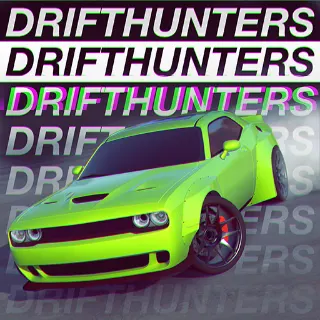
Drift Hunters is the standout if you've got more than ten minutes. Twenty-five-plus real-feeling cars, a full upgrade tree (engine, suspension, tires, turbo, weight), eight tracks ranging from a parking lot to a mountain pass, and a drift-scoring system that's been tuned across years of community feedback. The fact that you can run all of it in a browser, with no installer, on a free site, is genuinely strange — this is a build that would be a $15 mobile game in any other context.
The car list is the part that hooks people. A starter RX-7 you grind into something with 600 horsepower over a week of lunches. A Skyline. A 350Z. The full Initial D fantasy on a school cart. The renderer is heavier than Drive Mad's, so it asks more of an older Chromebook — but it still loads, just give it eight seconds the first time. After that it's cached.
If you've only ever played one drift game in a browser, this is the one we'd start you on. The skill ceiling is real, and the upgrade loop is the closest the open web has to a console racing game.
3. Drift Boss — one button, perfect for the back row
Drift Boss is the one-button driving game we keep on the list because it's the most-quietly-shareable pick we have. The whole control scheme is "hold the mouse to drift, release to straighten." That's it. The car follows a winding floating track and your only job is to not slide off the edge. Each track piece is procedurally placed, so the runs vary every time, and the high-score chase is built into the design.
What makes it school-cart-perfect is the visual. Tiny isometric car, pastel sky, no audio cues required, no in-your-face combat scenes. It scans across the room like a phone wallpaper. The runs are short (you'll die in under a minute most attempts), which makes it the natural "between two real tasks" game in a study hall. Pure dopamine, almost no commitment.
4. Slope — the high-score driver dressed as an arcade game
Slope isn't a car, but it absolutely is a driving game — left-right steering, a forward speed that won't slow down, a track that's actively trying to throw you off. It's the canonical browser high-score race and it's been in the top of our trending rail since the day we hosted it. The neon ball, the 3D downhill, the gaps and the red obstacles, the speed that ramps up just past the point where your reflexes can keep up. Same control loop as an endless arcade racer with the steering wheel swapped for arrow keys.
Why it's on a driving-games list: it teaches the same muscle that makes Drive Mad and Drift Boss work — micro-corrections at speed, eyes ahead of the car, brake never, commit always. If a friend says they're bad at driving games and you want to convince them otherwise in 90 seconds, hand them Slope first. They'll get it.
5. Slope 2 — same idea, harder, more colors
Slope 2 is the official sequel and it does what a good arcade sequel should — the speed ramps faster, the obstacle layouts are tighter, and the color palette goes from neon blue to a kind of synthwave that looks great on a Chromebook screen. If you've already cleared respectable runs on the original, the original starts feeling slow, and Slope 2 is where the genre keeps growing.
The reason we treat it as a separate pick on this list, not a footnote: the level-design difference is real. Slope 1 is the introduction; Slope 2 is the version of the game you keep open in a tab for months. Most of our long-term Slope players ended up there. It's also a touch heavier on the GPU — a 2019 Chromebook handles it fine, but a 2015 one might chug. If yours is from the Obama administration, stick with the original.
6. Eggy Car — the dumbest, funniest driving puzzle on the list
Eggy Car is what happens when someone designs a driving game around a single constraint: there is an egg balanced on the roof of your car, and if it falls off you start over. The track is a series of hills with varying slopes, the car has working suspension, and your job is to feather the throttle so the egg never bounces high enough to escape. It's a physics puzzle with a sense of humor. The first run you'll laugh out loud the third time the egg jumps off on a tiny bump. The tenth run you'll find a rhythm and the score starts climbing.
Why it sits high on the unblocked-driving list: it teaches throttle control better than most games that take themselves more seriously. Drive Mad players will pick up Eggy Car in 30 seconds and immediately find it harder than it looks. The two pair well — Drive Mad for technical line-finding, Eggy Car for soft-throttle discipline. If you only play one driving game today, play Drive Mad; if you play two, the second is this.
7. The honest case for old-school browser drivers
There's a temptation when listing "the best driving games" to only count the modern WebGL builds. We resist it because the older arcade-style picks earn their spot. Slope and Drift Boss are deliberately lower-fidelity, and on a school Chromebook that's a feature — the loading time is one second, the audio is unobtrusive, and the screen is busy in a way that signals "abstract puzzle" rather than "sim racing." The reason most school-cart driving sessions still default to one of these picks isn't a lack of options. It's that the constraints favor the simpler builds.
The flip side is true once you're home on a real laptop: Drift Hunters is the right pick when nothing's stopping you and you want the full garage flex. The two halves of this list — the lightweight reflex picks and the heavier progression picks — exist because the same player wants different things in different rooms.
8. The wider racing shelf — when this list isn't enough
This post is the editor's hand-pick across the driving and racing genre, but the catalog is bigger than eight. The full racing category page sorts every driver we host by what's currently busiest — useful when you've played the eight above and want the next twelve. It's also the page to bookmark if you'd rather scroll cover art than read another "top picks" list.
Two more landings worth pinning if school filters are your specific problem. The unblocked games hub is the broader list, every category, every pick we've cleared for school-cart use. The no-download games page is the same idea reframed around install-free play — same picks, different angle, sometimes a useful URL to send to a parent who's asking what you're playing.
And if you want the seasonal version of this conversation — the small subset of driving games that specifically survive the last week of school — our earlier unblocked games for summer break writeup covers Slope and Drive Mad in the wider context of "what to play when the teachers have stopped assigning real work."
How to actually play these on a school Chromebook
A few practical notes from hosting these for the last couple of years on real school hardware.
- Tab them ahead. If your school filter sometimes flags new domains after the first few clicks, open the game tab during a known-OK window (lunch, between classes) and leave it open. The page caches enough that the second load is faster anyway.
- F11 is your friend. Fullscreen mode hides the rest of the browser chrome — useful both for the game itself and for not having a tab strip full of other tabs visible across the room. Esc gets you back to normal.
- Mute the tab, not the OS. Right-click the tab, mute site. Half of the games on this list have no music anyway, but Drive Mad and Drift Hunters do, and the OS volume control is harder to keep at zero than the tab one.
- Chromebook charge matters. Drift Hunters specifically pulls more battery than the other picks because it's a real WebGL build with a 60-fps target. If you're on a low battery, default to Drive Mad or Slope and save the heavier picks for when you're plugged in. The school Chromebook games hub is built around this constraint if you want the broader list framed the same way.
Frequently asked questions
Are these unblocked games safe at school? Every game on this list is hosted on Minix Games, which is a single registered domain serving HTML5 and WebGL builds with no signup, no installer, and no third-party tracking beyond standard analytics. They're as safe at school as any free-game site on the open web — meaning the games themselves are fine; whether your specific school filter has classified our domain is a network-admin call that varies by district.
Do I need to download anything? No. Every pick on this list runs in a browser tab. There's no installer, no launcher, no Steam, no Epic, no Roblox Studio. Click the link, the game loads, you play.
What's the best free driving game for a browser? For most people, the answer is Drive Mad — it's light, it's deep, it's free, and it's the one game on this list we'd hand to a beginner first. If you want the deepest pick instead, Drift Hunters is the closest the browser has to a real progression racer.
Can I play these on a Chromebook? Yes — every pick on this list is tested on real Chromebook hardware, including a 2019 budget model with 4 GB of RAM. The lighter picks (Slope, Drive Mad, Drift Boss, Eggy Car) load in 1-3 seconds. Drift Hunters takes 5-8 seconds the first time and caches after.
Will my school WiFi block these? Most of the time, no — the bigger driving-game blocks are at the installer level (Steam, Epic) and these are browser-only, so they sidestep that whole category of filter. Domain-level filters vary, and we can't promise your specific district hasn't classified our URL. If the page loads and the menu shows up, you're past the filter. If it doesn't, it doesn't, and that's a conversation for your network admin — not something we can route around for you.
Where to go from here
If this list landed, three more pages worth a click. The racing category hub is the wider driving and racing catalog, sorted by what's currently busiest. The unblocked games hub is every school-friendly pick across every genre, useful when you've played all eight above and want a break from the steering wheel. And the unblocked games for summer break post puts a few of these in the wider seasonal context if you're reading this in the last week of the school year.
The catalog updates weekly. Drive Mad and Drift Hunters have been at the top of our trending rail for months now, but if a new driving game lands and earns its way past them, the racing page is where you'll see it first.