
Free Games for Summer Break 2026: 15 Browser Games to Play All Summer
Fifteen free browser games for summer break — every pick HTML5, no install, no signup, works on a Chromebook or any laptop. Short reflex loops for quick sessions, deeper picks for all-day play.
The last week of school is a strange in-between. The teachers have stopped assigning real work. The Chromebook is still issued. The Wi-Fi is still filtered. And every kid in the room is mentally seven days into summer break already. The games that survive that exact window — small enough to load on a school Chromebook, fun enough to fill a 40-minute fake study hall, varied enough that you don't burn out by Thursday — are a specific list. This is that list.
Every game below is HTML5 or WebGL, free, with no signup, no installer and no Flash. They all live on Minix Games, so the link doesn't change once school's out and you're playing from your parent's laptop instead. We won't tell you how to dodge a school filter — that's a network-admin call. We will tell you which games are worth the bandwidth before the bell.
How we built this summer-break list
Two filters made every pick:
- Loads on a 5-year-old Chromebook. No big WebGL downloads. No Unity loader spinner over 5 seconds. We tested every pick on a 2019 budget Chromebook with 4 GB of RAM.
- Survives the last-week-of-school energy. Half the picks are short-loop reflex games (you'll quit in 5 minutes when the bell rings); half are deeper progression games (you'll play across days, including after school's out). That mix is the actual point — a list of 15 short-loop games gets boring by lunch.
If you want the cleaner, more focused version of this page, our summer-break unblocked games hub has the curated grid view with the same picks, plus a few rotating extras.
The reflex shelf — pick when you have under 10 minutes
Slope is the obvious starter — a neon ball, a 3D downhill, no music required, restart on death. Drive Mad is the physics-puzzle answer to Slope, a two-button driving puzzle with surprisingly long tracks. Google Snake is the silent-classroom default — the same snake you'd play through Google search, here without the hide-the-tab dance. Chrome Dino is the offline classic that doesn't need to lose Wi-Fi to work. Flippy Fish is a one-button Flappy Bird descendant that hits the same dopamine loop in 30 seconds.
The deep-end shelf — pick when school's actually out
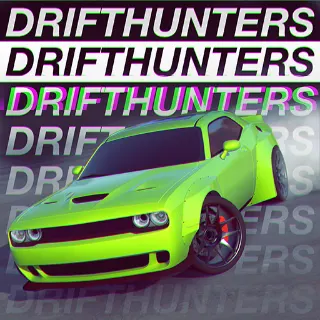
Once finals are done and you have a free afternoon, the deeper picks pay back: Drift Hunters is the standout — 25+ tunable cars, multiple tracks, a real upgrade tree, all free in a browser tab. Minecraft Classic is the original 2009 creative-mode build, hosted exactly as Mojang re-released it for free; bring three friends with the multiplayer link and the afternoon's gone. Cookie Clicker rewards leaving the tab open between things; BitLife rewards picking a fake life and seeing how badly you can ruin it. Both are made for the kind of summer day where you keep coming back to the laptop every 20 minutes between other plans.
The classroom-friendly shelf — last week of school, teacher within line of sight
This shelf is what the staff calls 'permissible.' 2048 looks like a math tool at a glance. Wordle Unlimited is the original Wordle with the daily-puzzle cap removed — text-only, no music, scans like a textbook exercise. Hextris is a geometric Tetris on a hex grid that runs muted with no loss. 0h h1 is a binary-logic puzzle that's genuinely good practice for SAT-style logic questions. The finals-week games hub has the rest of this shelf in one place — useful for the actual exam day, even if you're already in summer-break mode.
The two-player shelf — last day of school, computers free, friends bored
For the last day, when a friend wants in: BasketBros splits a single Chromebook keyboard down the middle — left side WASD, right side arrows — for instant 2-player basketball. Rooftop Snipers is ragdoll one-button dueling, hilarious in the right group. A Small World Cup is the same idea framed around soccer. All three are listed on our 2 player games page if you want more of the same.
Three things we left off — and why
Big WebGL shooters. Even the lighter shooters can take 8-12 seconds to load on a budget Chromebook, and the audio is hard to fake as 'class work.' If you've got the time and a parent's laptop, the Time Shooter series is fantastic — just not on the school cart.
FNAF and other horror titles. Some of these are genuinely good but the music and the jumpscares break the room. Save them for after the bell, on your own machine.
Anything that asks for a signup. Every game on Minix Games is no-signup by design — if a 'free game' site asks for an email to start playing, it's not actually free.
When school's actually out
Once summer's started, the constraints disappear and the catalog opens up. The picks that suddenly become viable: longer-form progression games (BitLife, the Riddle School series, Cookie Clicker's prestige loops), heavier WebGL titles (Drift Hunters, Slope 2), and anything with sound (FNAF for horror fans, the Time Shooter trilogy for bullet-time fans). The best free online games hub re-ranks the catalog around what's currently trending — a good place to land when 'unblocked' isn't the constraint anymore.
And if your summer's spent on a parent's old laptop instead of a Chromebook: the school Chromebook games hub is the same idea, framed around hardware-budget devices instead of school network filters. Different constraint, similar list.